
Booklink offers a free plan for getting started and a Pro subscription with additional features. Your plan is managed in the Subscription and billing card on the Account settings page. Billing is handled securely through an external payment provider, and you can upgrade or cancel at any time.
Free plan
The free plan includes the core Booklink features: a public booking page, availability scheduling, and email booking confirmations. It is a good fit if you are just starting out or want to try Booklink before committing.
The free plan has limits on the number of services, team members, availability slots per day, and bookings per month. The Account settings page shows your exact limits. Several features are only available on Pro, including payment gateways, WhatsApp notifications, automatic reminders, Google Calendar integration, custom booking page colours, and public contact details.
Pro plan
The Pro plan unlocks everything: unlimited services, up to 5 team members, unlimited availability and bookings, Google Calendar integration, WhatsApp notifications, automatic booking reminders, payment integration, and removal of the "Powered by Booklink" branding from your booking page. Pricing is in South African Rand (ZAR).
Upgrading to Pro
Go to Account in the sidebar and click Upgrade to Pro in the Subscription and billing card. A secure payment window opens to complete the payment. Your account upgrades as soon as payment is confirmed, usually within a few seconds, and Pro features are available straight away.
Cancelling your subscription
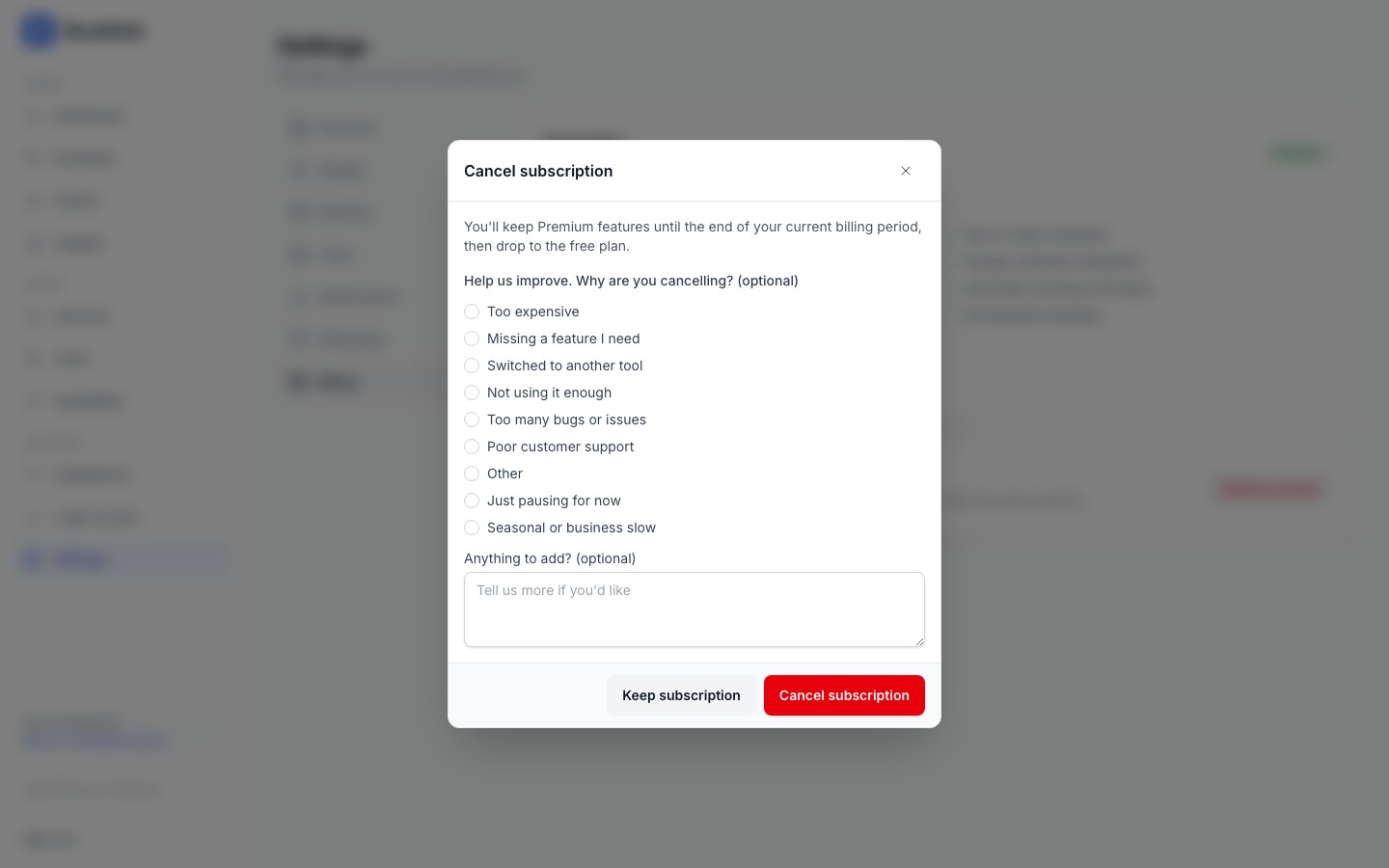
To cancel, click Cancel Subscription in the same card. A confirmation dialog opens that includes an optional feedback prompt. Choose a reason and add a comment if you would like to. All feedback fields are optional and have no effect on whether the cancellation proceeds.
Your Pro access continues until the end of your current billing period, or ends straight away if your last payment didn't go through. You will not be charged again after cancelling. After the billing period ends, your account reverts to the free plan. Your data, services, and booking history are preserved. Pro features stop working, but all basic functionality remains. You can re-subscribe at any time.
Cancelling subscription vs deleting account
Cancelling your subscription keeps your account and data on the free plan. Deleting your account permanently removes all your data. If you just want to stop paying, cancel your subscription; do not delete your account.