
You can require clients to pay a deposit or the full service price before their booking is confirmed. This reduces no-shows and ensures you're compensated if a client cancels at short notice. Payment requirements are configured per service.
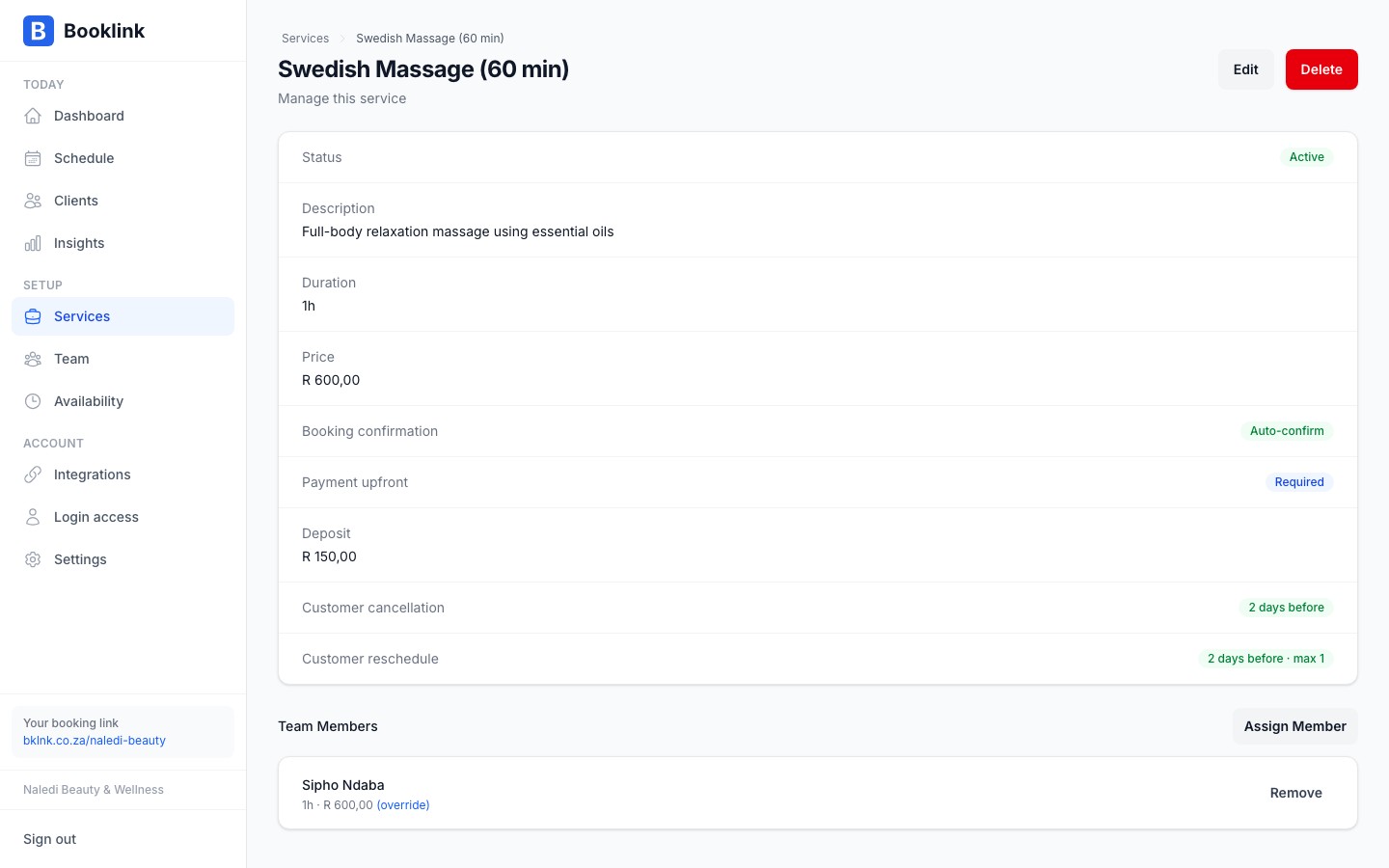
Enabling payment required
On the service detail page, find the Payment section and toggle on Payment required. You'll then have two options:
- Full amount — The client must pay the full service price to complete their booking
- Deposit — The client pays a fixed deposit amount (in Rands) at booking time, with the remainder due at the appointment
Setting a deposit amount
If you choose the deposit option, enter the deposit amount in Rands. For example, if Naledi's Swedish Massage costs R650, she might require a R150 deposit to secure the booking. The client pays R150 online and the remaining R500 at the appointment.
Choose a deposit amount that:
- Is enough to cover your costs if the client doesn't show up
- Is not so high that it discourages genuine clients from booking
- A deposit of 20–30% of the service price is a common starting point
Use deposits for longer or premium services
Deposits are most valuable for longer appointments where a no-show costs you significant time — for example, a 90-minute massage or a full-day event booking. For short, quick services like a 15-minute eyebrow shape, a deposit may not be necessary.Note
Payment processing is handled by an integrated payment provider. Ensure your payment settings are configured in your account before enabling this feature. Funds are settled to your nominated bank account according to the payment provider's schedule.Allowing bank transfer
Once you have added bank details in Settings, Payments, each offering that requires payment gets an Allow bank transfer (EFT) switch alongside the payment hold controls. Turn it on and clients see a Pay by bank transfer choice next to card at checkout, or, if you have no gateway connected, a Book and pay by EFT button instead.
Important
The payment hold on this offering applies to card and bank transfer bookings alike. A short hold cancels an unpaid card booking almost as fast as an unpaid EFT one, and a bank transfer can take a day or more to reflect. Set the hold to at least 2 days.