
Every email and WhatsApp message sent for a booking is recorded in the notification log. If a client says they did not receive a confirmation, or you want to check whether a reminder was sent, the log gives you a clear record.
Viewing the notification log
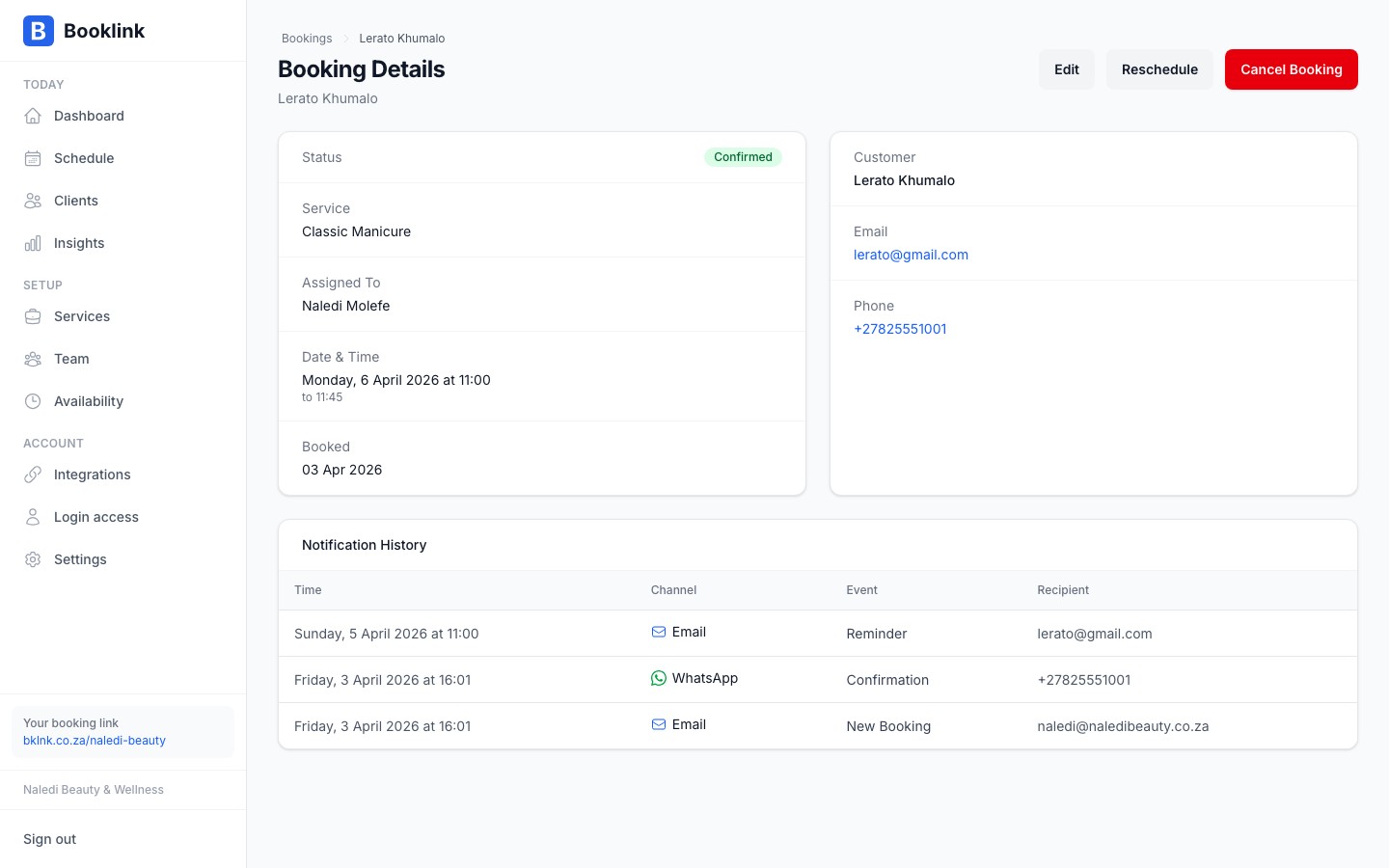
Open any booking by clicking it in calendar or list view. Scroll to the bottom of the detail page to find the Notification log section. Each entry shows:
- The type of notification (confirmation, cancellation, reminder, new booking alert, awaiting payment, payment failed)
- The channel used (email or WhatsApp)
- The recipient
- The date and time it was sent
- Whether it was triggered by a user action or automatically by the system
What gets logged
The following notifications are recorded:
- Booking confirmation — sent to the client when a booking is confirmed (manually or automatically)
- Cancellation notice — sent when a booking is cancelled by you or the client
- Reminder — sent a set number of hours before the appointment (if reminders are enabled in Settings)
- New booking alert — sent to you (the business owner) when a client submits a new booking
- Awaiting payment — sent when a booking needs a payment to be completed before it can be confirmed
- Payment failed — sent when a client's payment attempt fails
When notifications may not be delivered
The log records that a notification was sent, but cannot confirm whether the client ultimately received it. Common reasons a notification may not reach the client include:
- An invalid or mistyped email address
- A WhatsApp number that is not registered on WhatsApp
- A client inbox marking the email as spam
Notifications are not retried automatically. If a client says they did not receive something, you can check the log to confirm it was sent, then follow up with them directly.
Email and WhatsApp together
Even with WhatsApp notifications enabled, Booklink always sends the email version as well. This gives you a reliable fallback channel if a WhatsApp message does not reach the client.